MCP tools and integrations: calling external APIs
Build MCP integrations by wrapping a third-party HTTP API once, with its key kept out of your code, and serve it to every agent connected to your project.

In this post
- Why wrapping an API as a tool helps
- When you need no code at all
- Where the API key goes
- Shaping results for an agent
Most useful tools talk to something else: a ticket tracker, a CRM, a search index. Wrap that API once as a Glxymesh tool and every client connected to your project can use it.
Often, no code at all#
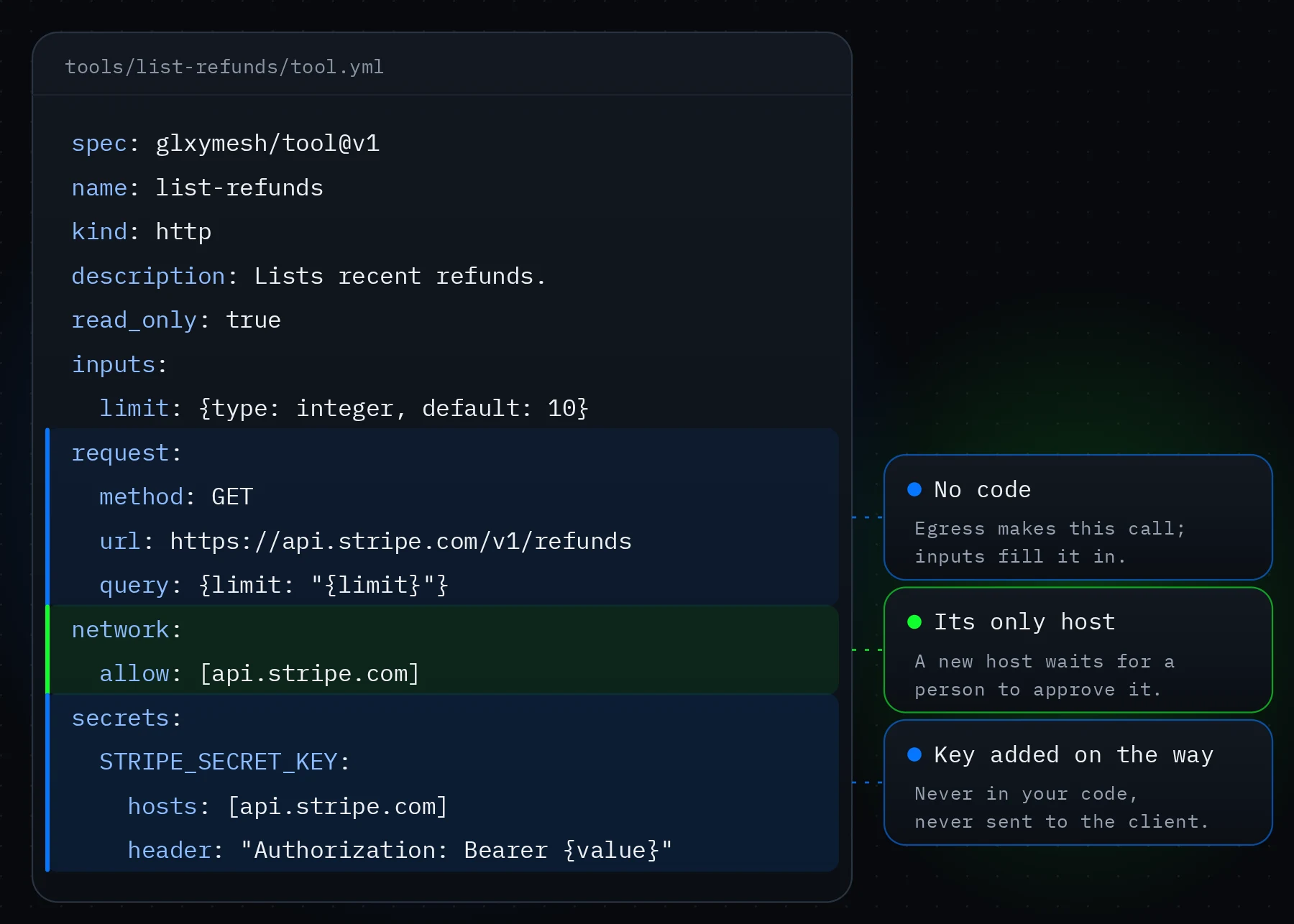
If the tool is one request, an http tool is enough: its tool.yml names the method and the URL, with the tool's inputs filled in. The egress gateway makes the call. When you need to combine calls or reshape the answer, a function tool's code calls ctx.fetch, which leaves through the same gateway.
Store the key as a project secret#
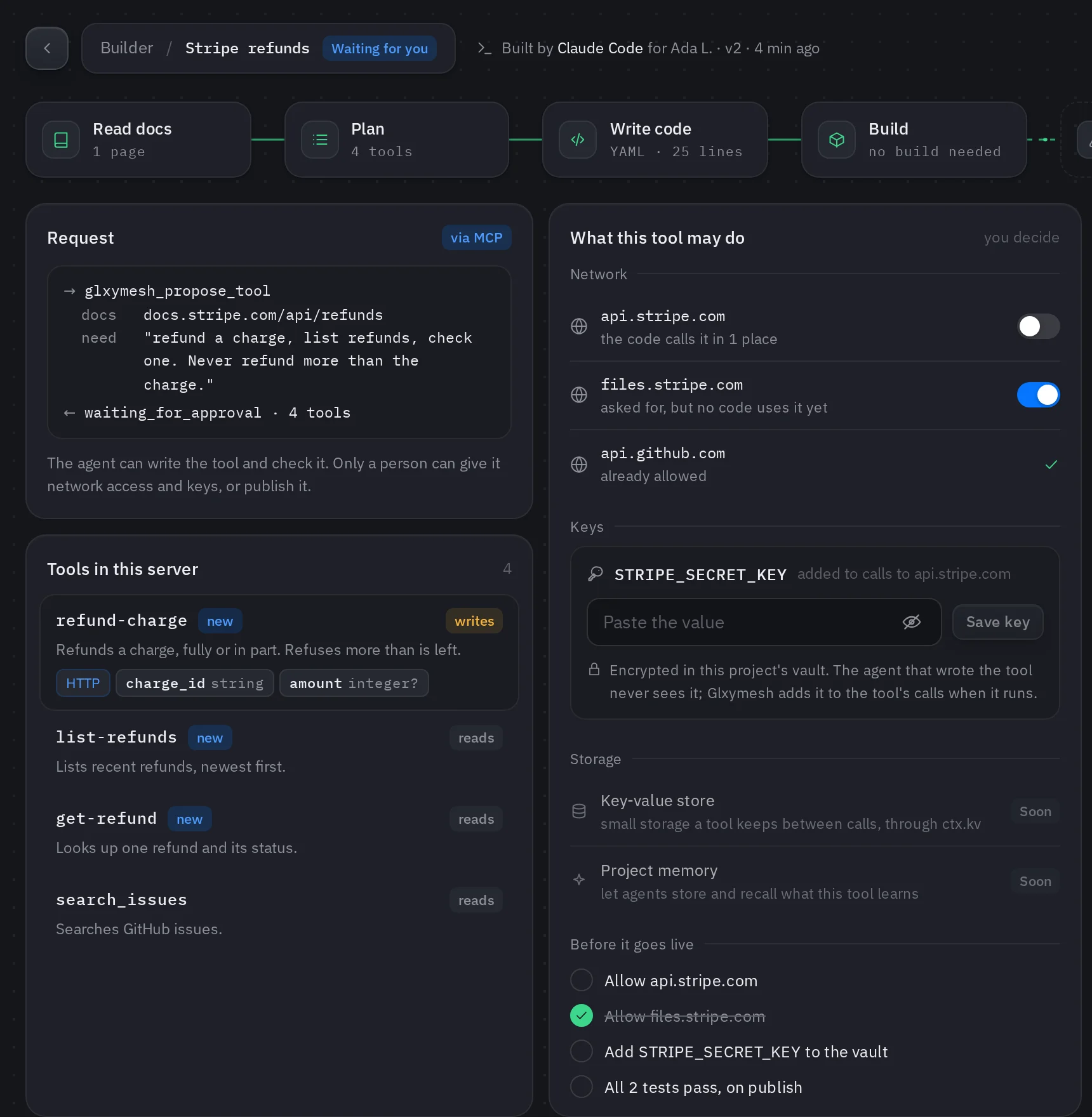
Add the service's API key on the console's Secrets page, then bind it in tool.yml to the API's host and say where it goes: a header or a query parameter. The egress gateway adds it to matching requests. It never appears in your code, and the calling client never receives it.
List the hosts it may reach#
A tool reaches only the hosts in its network.allow. The first push that adds a host or a key waits for a person to approve it, so an agent can propose a new destination but never open one by itself.
Return what the agent needs#
Agents work best with small, structured results. Return the fields that answer the question rather than the raw API response, and say clearly when something wasn't found.
- Pick a narrow input: one ID, one query
- Return only the fields an agent will use
- Turn API errors into short, readable messages
Deploy and try it#
$ gxmesh pushThe keys and network guide has the full rules: docs.glxymesh.com/guides/keys-and-network